Audit Log#
You can view the activity log of users belonging to the organization.
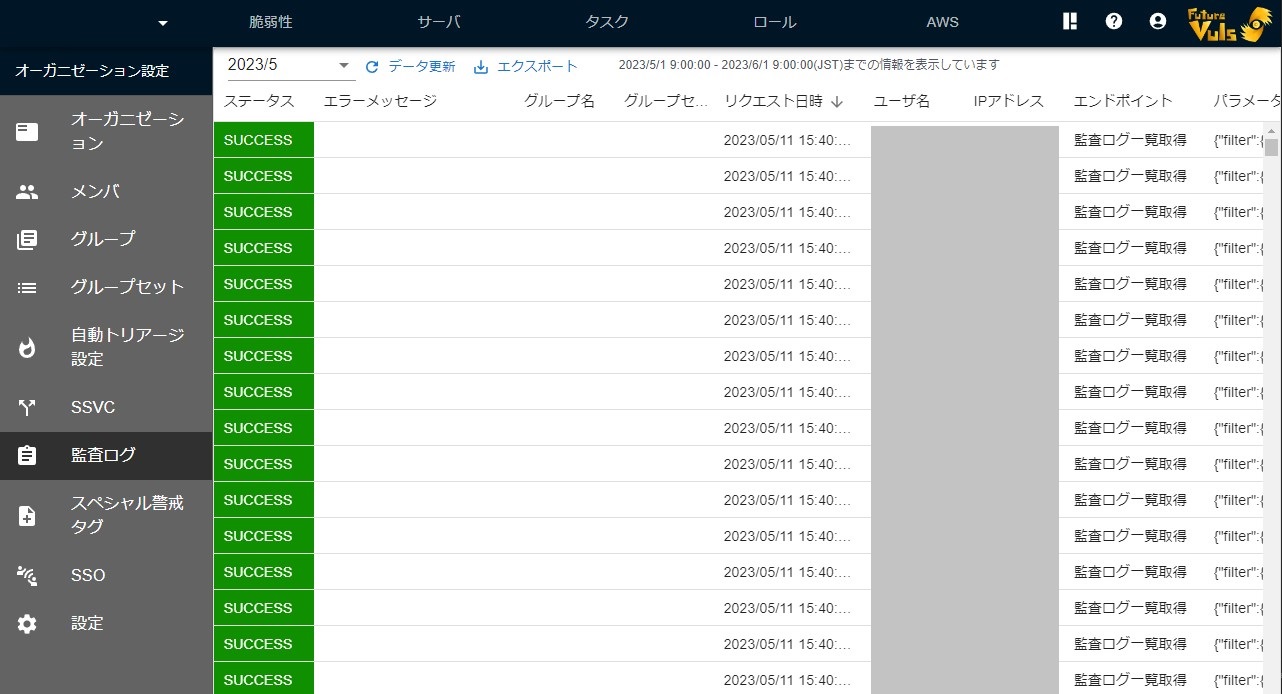
The data can be viewed on a monthly basis. Select the month in the upper-left corner to check past activity logs.
You can download the data in CSV format from "Export" > "CSV Download". The CSV download covers the logs of the month currently displayed (if you have filtered the columns, only the filtered rows).
You can view and retrieve audit logs for the last two years (from 00:00 UTC on the same date two years ago onward) on the screen, through CSV downloads, and through the FutureVuls API. If you select the month exactly two years ago, only the logs from 00:00 UTC on that date onward are displayed (the same applies to CSV downloads). You can also select months older than two years in the month selector in the upper-left corner, but logs older than two years are not displayed.
| Item | Description |
|---|---|
| Status | Displays whether the request was successful or not (SUCCESS, ERROR). |
| Error message | The error message displayed when a request fails. |
| Groupset Name | The name of the group set (only displayed for group set operations). |
| Group Name | The name of the group (only displayed for group operations). |
| Requested Time | The date and time the request was made. |
| User Name | The name of the user who made the request. |
| IP Address | The IP address of the user who made the request. |
| Endpoint | The name of the requested method (displayed in your display language). Requests through the FutureVuls API have an API: prefix, and requests through MCP Server have an MCP: prefix. MCP Server access recorded before the October 2026 release retains the API: prefix. |
| Parameters | The parameters included in the request. |
Downloading Audit Log Data
If the parameters are long, they may not be fully visible in the table. In such cases, please copy the cell's content or download the CSV file to view the complete information. Sensitive information such as passwords will be masked. Login and logout actions are outside the scope of organizational operations and are not recorded in the activity log.
You can also retrieve audit logs via the "FutureVuls API". Endpoints retrieved through the API are returned in the organization language.