Slack App Notification Settings#
By configuring the Slack app, you can receive various notifications in Slack.
This page explains how to configure Slack app notifications.
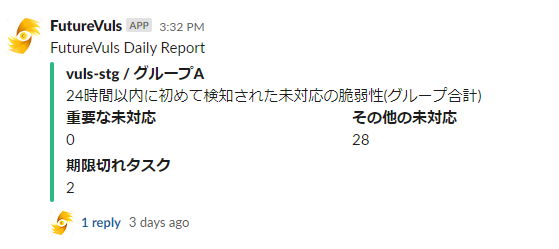
Configuration Method#
The general configuration flow is as follows.
- Install the FutureVuls Slack App in the organization settings.
- Perform the initial notification setup in the group settings.
- Configure detailed settings for each notification in the group settings.
Notification Settings
Installing the Slack App alone does not complete the notification setup.
You need to configure which channel to send notifications to for each group.
Organization Settings#
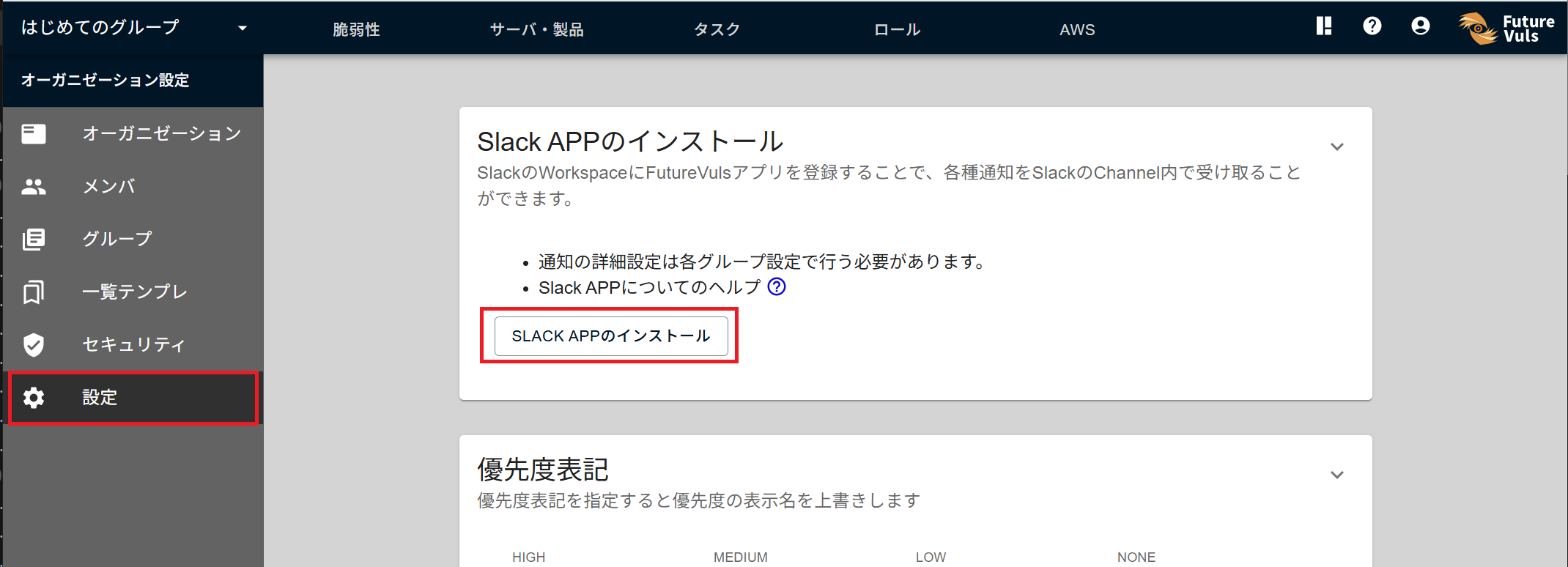
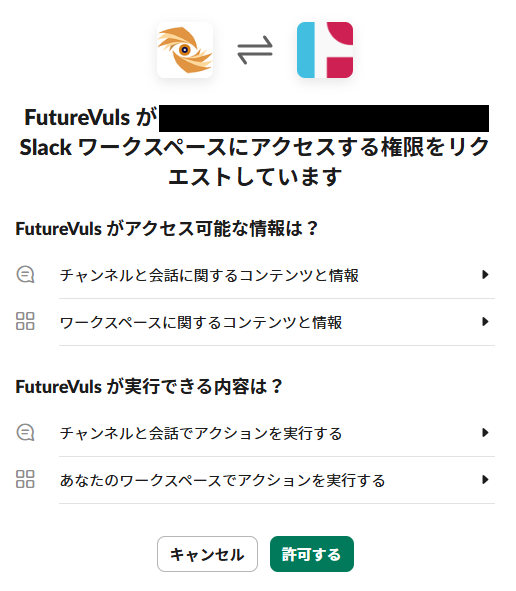
By registering the FutureVuls app in your Slack Workspace, you can receive various notifications in a Slack channel.
After configuring Organization Settings > Settings > Install Slack App, you need to set up the detailed notification settings in each group's settings.
Group Settings#
By registering a channel from Group Settings > Notifications > Slack App, you can notify the corresponding channel about newly detected vulnerabilities, new topics, etc., in the group.
Configuration Details#
- Slack Workspace: Select the Workspace installed in the organization settings.
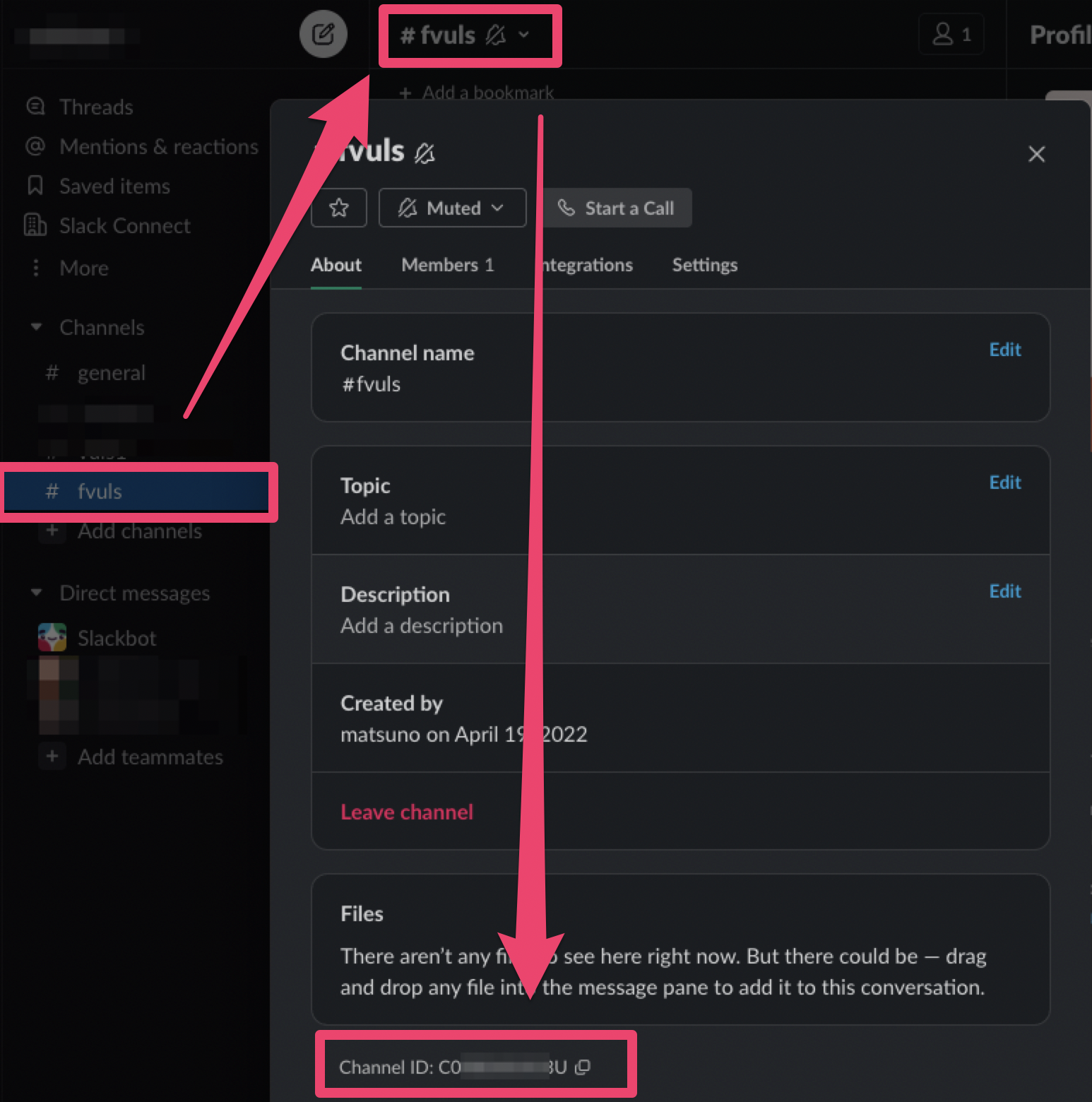
- Default Channel ID: Set the Channel ID to receive notifications.
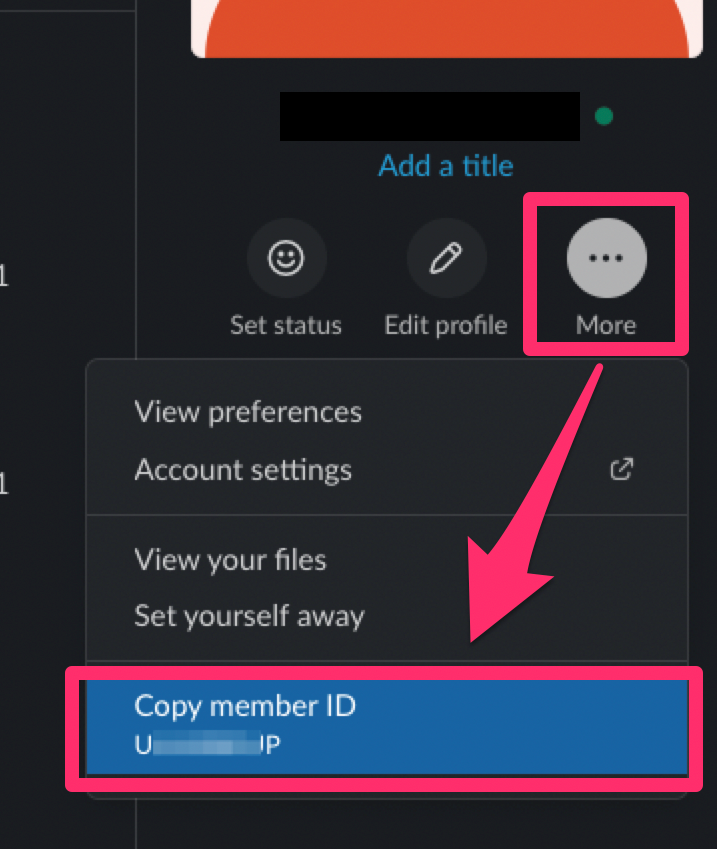
- Default Notification Member IDs: Set the Member ID(s) to mention when sending notifications (multiple IDs can be specified, separated by commas).
After completing the initial setup in the group settings, you can configure detailed settings for various notifications.
You can turn notifications on/off for each item using the checkboxes. Additionally, you can configure the destination channel and members to mention by clicking the settings icon.
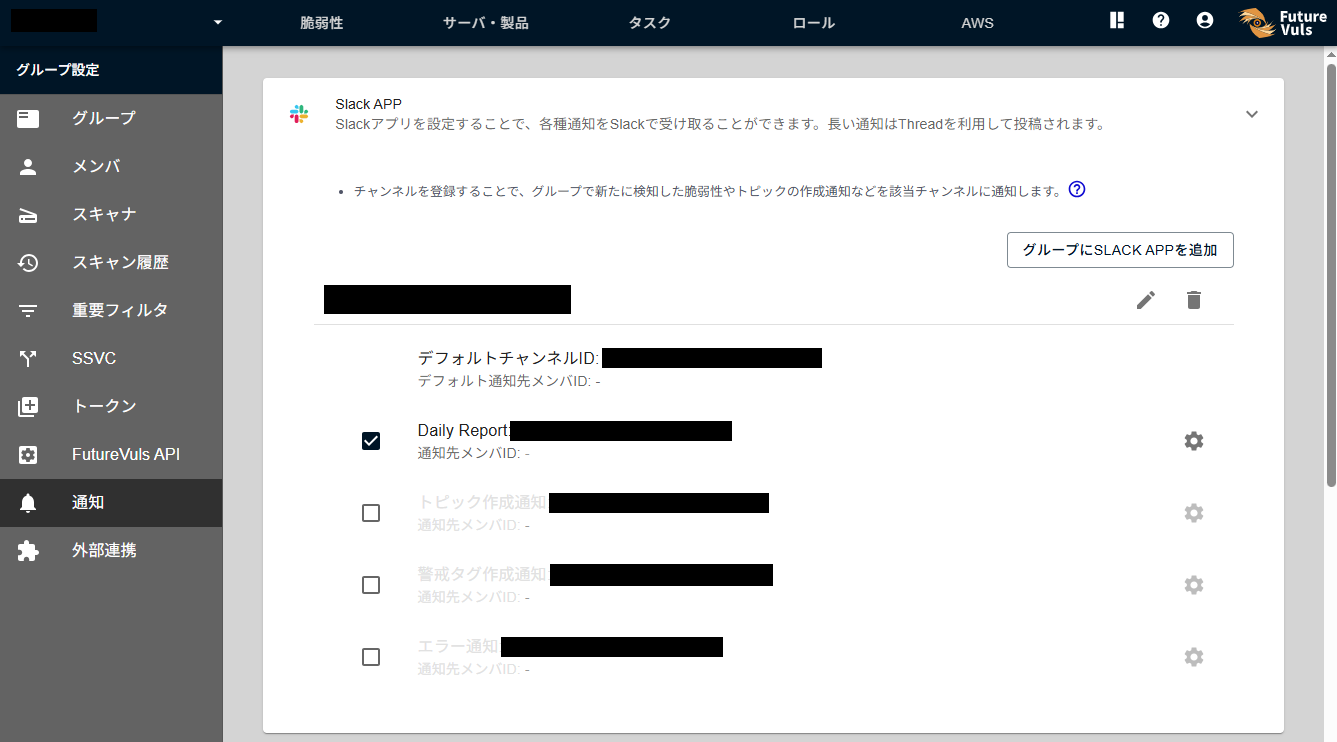
The conditions for mentioning a user are as follows.
| Notification Content | Mention Condition |
|---|---|
| Daily Report | When there are critical vulnerabilities |
| Notification of Alert Tag Creation | Always mentioned |
| Notification of Error | Always mentioned |
How to find the Channel ID#
How to find the User ID#
Items Notified to Slack#
For a list of features that can send notifications to Slack, please refer to Slack & Teams Notifications.
Note that some notification types are posted using threads.