Roles#
Roles are a feature for grouping servers.
You can create roles with names such as db or app to organize servers for better visibility, and to configure SSVC Decision Points or Task Priority Rule Sets per role.
A role named default is created when a group is created.
Role List#
You can manage all created roles from the list.
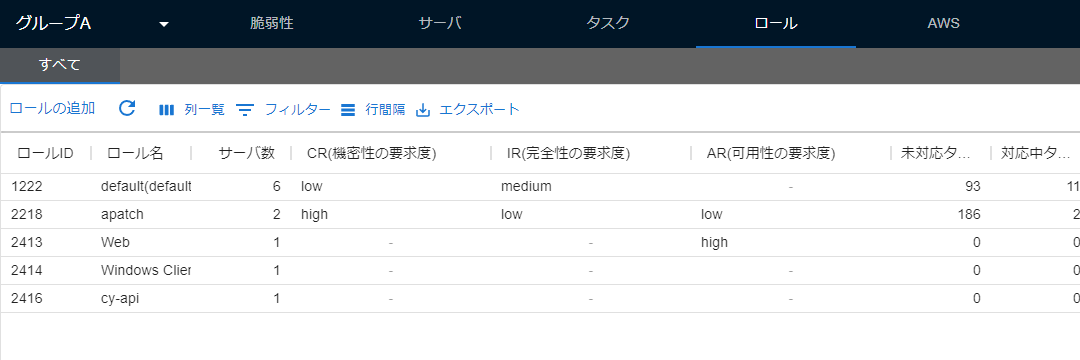
The order of the items in the list, as well as their visibility, can be configured on this page.
| Item | Details | Update Timing |
|---|---|---|
| Role ID | The ID of the role. | None |
| Role Name | The name of the role. Can be set and changed on the screen. | When changing a role. |
| Total Servers | The number of servers belonging to the role. | When updating a server. |
Add Role#
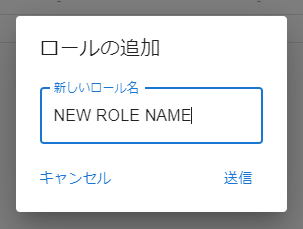
You can create a new role from the role list.
Role Details Pane#
Clicking a role in the list in the first pane will open the details pane.
Details Tab#
In the Details tab, you can view and change the details of the role.
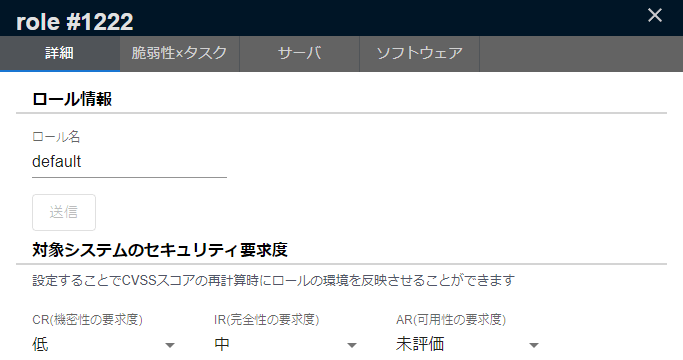
The Details tab consists of the following three areas.
| Area | Contents | Display Condition |
|---|---|---|
| Role Details | Changing the role name and deleting the role | Always displayed |
| SSVC Settings | Setting Decision Points specific to the role | When the SSVC feature is enabled |
| Task Priority Rule Set | Linking Task Priority Rule Sets to the role | On the CSIRT Plan |
Change Role Name#
You can change the role name in the Role Details. The name of the default role can also be changed.
Delete Role#
You can delete a role with the button at the top right of the Role Details. The default server role cannot be deleted.
SSVC Settings#
You can set Decision Points specific to the role. Because they overwrite the Decision Points configured in the group settings, you can fine-tune the SSVC evaluation per role. You can revert the values you set to the group values with the reset button at the top right.
For more details, see "SSVC > Overwriting with Roles".
Task Priority Rule Set#
When you link a Task Priority Rule Set created in the organization settings to a role, the task priority of the tasks matching the rule set is updated automatically. Group admin privileges are required to add or delete a rule set.
For more details, see "Task Priority Rule Sets".
CVE × Tasks#
Tasks and vulnerabilities related to the servers belonging to the selected role are displayed.
Clicking a cell in the CVE-ID column will display the vulnerability details, and clicking a cell in any other column will display the task details.
Server・product#
Servers belonging to the selected role are displayed. Servers without vulnerabilities are also displayed.
Software#
All software on the servers belonging to the selected role is displayed. Software without vulnerabilities is also displayed.
See also "Software" and "CPE" for more details.
Default Server Role#
A server must always belong to a role.
One default server role is selected for each group, and it is indicated by (default) next to the role name in the role list.
When a new server is registered (scanned), the default server role is automatically assigned to it.
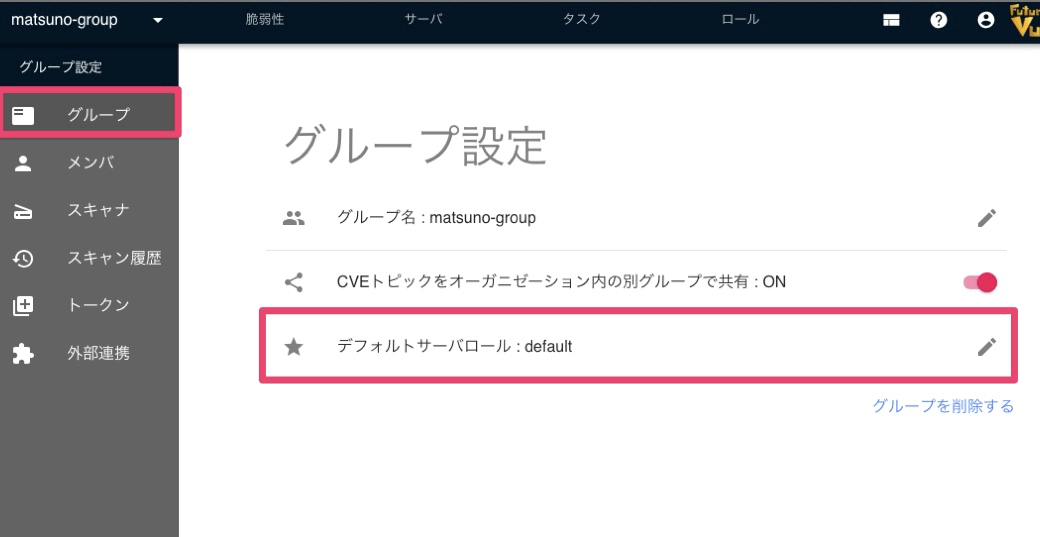
The default server role can be configured from Group Settings → Group. Group admin privileges are required to view the Group Settings.