Topics#
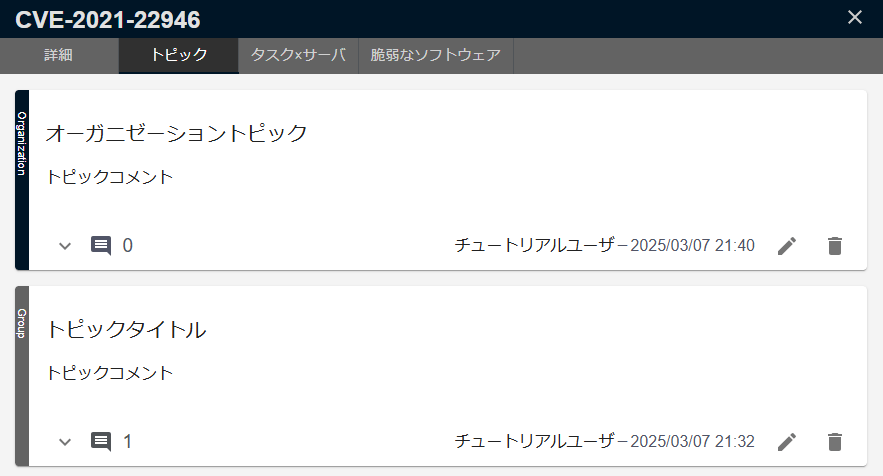
FutureVuls has a Topic feature that allows you to share vulnerability information within groups and organizations. You can post investigation results and risk levels for vulnerabilities to share knowledge within your organization.
Topics can be viewed and created by selecting a vulnerability from the vulnerability list and then selecting the Topic tab.
Creating and Deleting Topics#
Create a Topic#
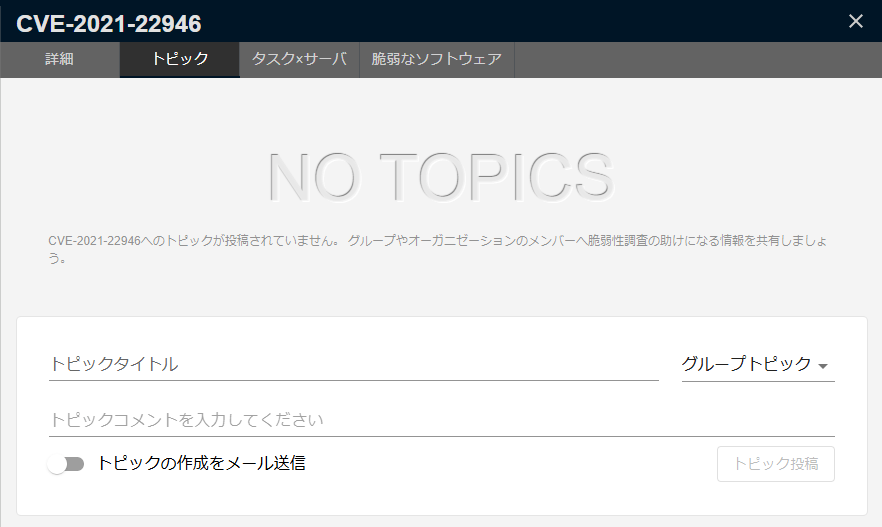
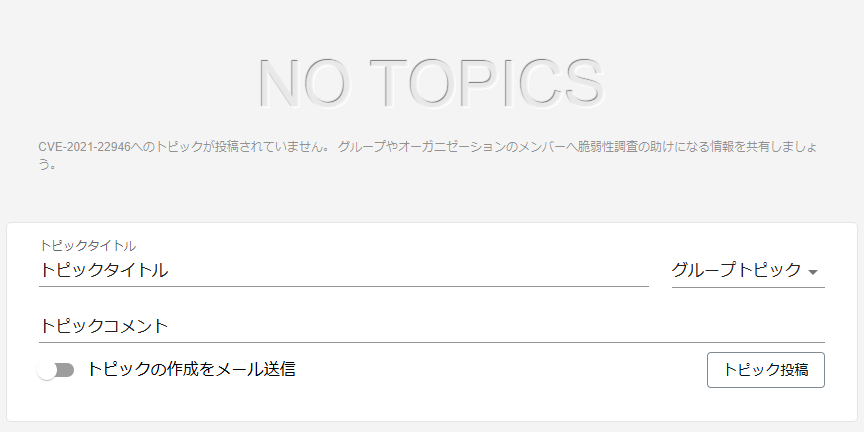
You can create a topic by opening the Topics screen, entering a title and comment, and submitting.
Additionally, when creating a new topic, you can send an email to members of the target organization or group. Use this to alert others about vulnerabilities or share the response status with other groups.
Group Topic Creation Permissions
Users with read-only permissions cannot create group topics.
Edit a Topic#
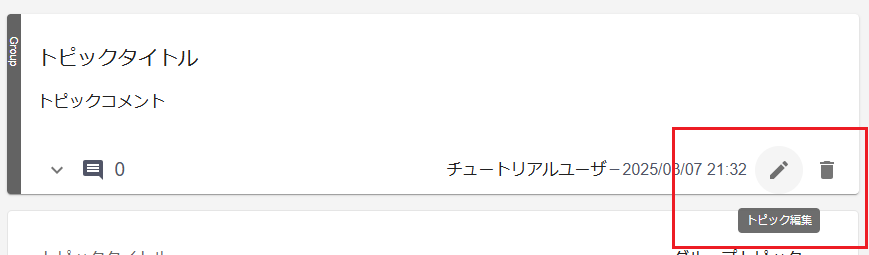
On the Topics screen, you can edit a topic by clicking the edit button next to it.
Topic Editing Permissions
You can edit topics you posted yourself, or any topic if you are a group administrator.
Furthermore, users with read-only permissions cannot edit topics they have posted themselves.
Delete a Topic#
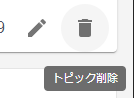
On the Topics screen, you can delete a topic by clicking the delete button next to it.
Topic Deletion Permissions
You can delete topics you posted yourself, or any topic if you are a group administrator.
Furthermore, users with read-only permissions cannot post, edit, or delete group topic comments.
Add a Comment to a Topic#
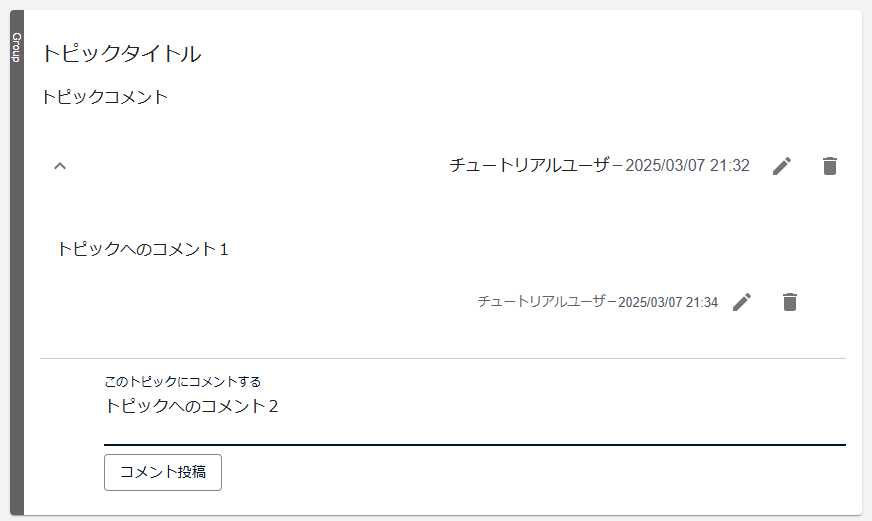
Open and expand a topic to view and add comments.
Topic Comment Editing and Deletion Permissions
You can edit or delete topic comments if you posted the comment yourself or if you are a group administrator, following the same rules as for topics.
Sharing Topics within an Organization#
Vulnerability topics can be shared within an organization.
Configuring Organization Sharing Settings#
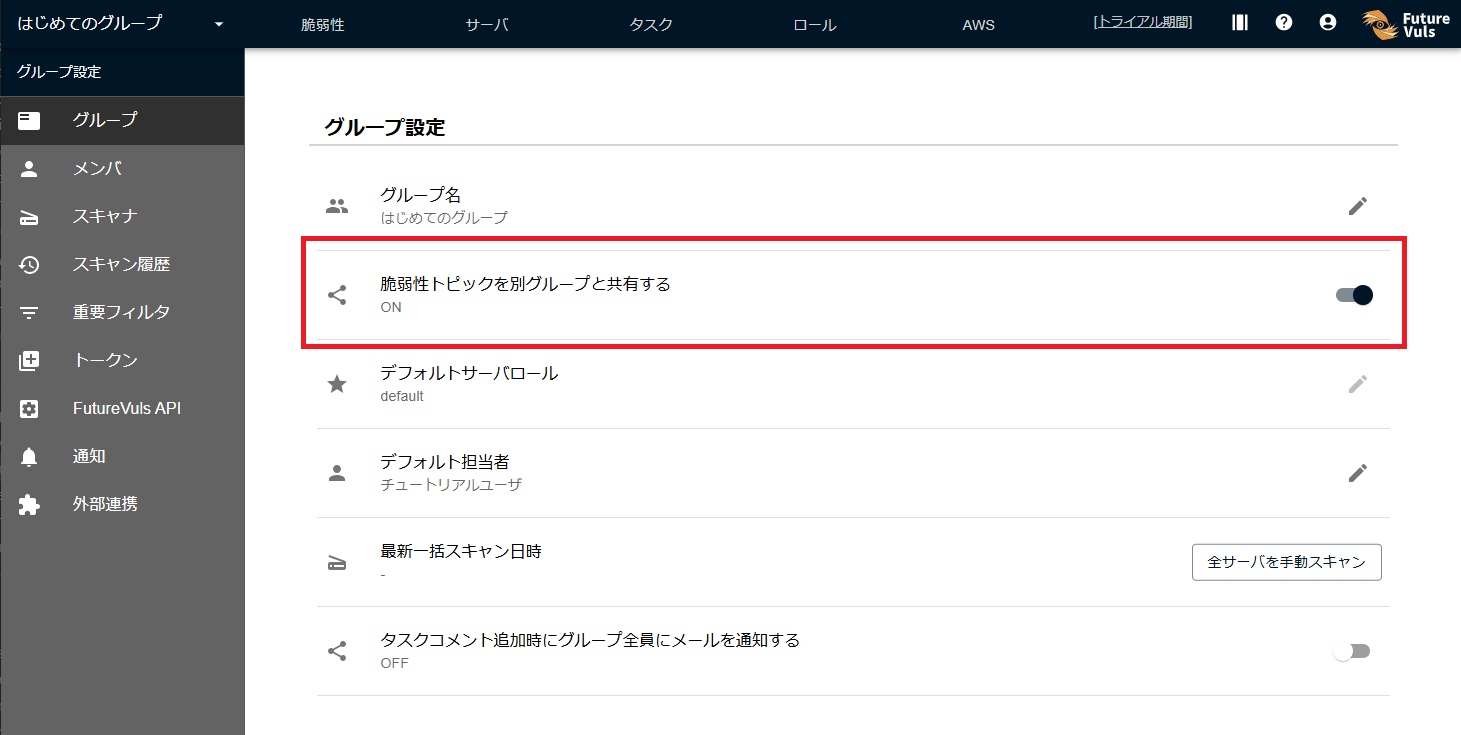
By turning ON the Share this vulnerability topic with other groups setting in the group settings, you can create and view organization topics.
Creating an Organization Topic#
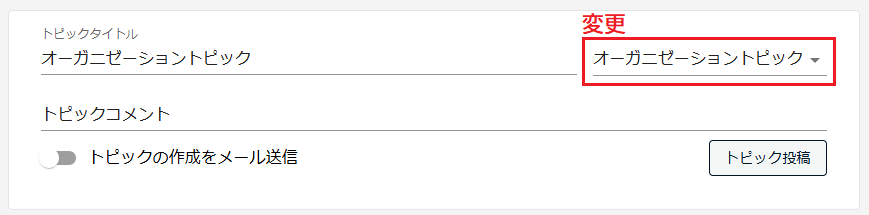
When creating a topic, select Organization Topic to make it visible across the entire organization, not just within your group.
As with group topics, you can add comments.
Organization Topic Editing and Deletion Permissions
You can edit or delete an organization topic if you posted it yourself or if you are an organization owner.
Organization topics and regular group topics are displayed side-by-side.