Reviewing Vulnerability Information#
In "Reviewing Server Information," we looked at the list of servers and the information available for each server. Here, we will review the vulnerability information detected by FutureVuls within the group.
Please also refer to the "Basic Screen Usage" manual.
Viewing a List of Vulnerabilities#
The Vulnerability tab allows you to view a list of all vulnerabilities detected on all servers within a group. This is useful when you want to check "what kind of vulnerabilities have been detected" at the system level, rather than on a per-server basis. Similar to the Server / Product tab, clicking on a row in the list opens the second pane, where you can view detailed information about that vulnerability. For details, please refer to the manual.
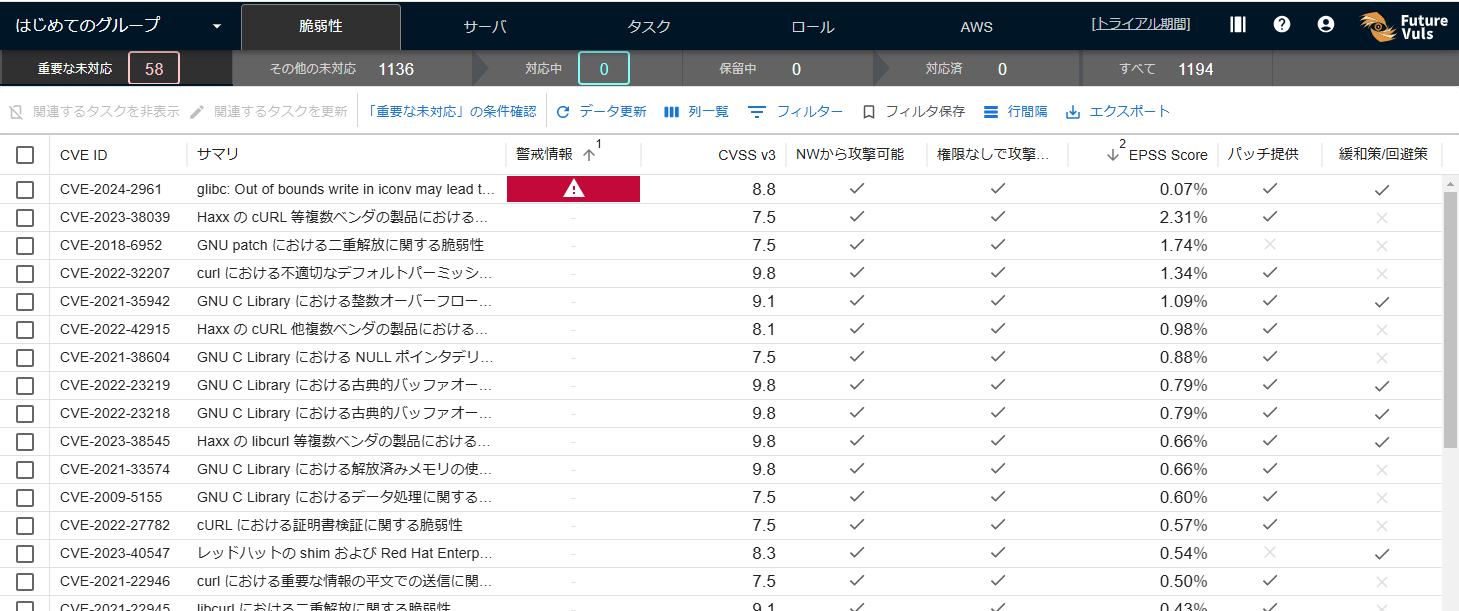
The Vulnerability tab is divided into sub-tabs categorized by remediation status.
- Not yet addressed: Important CVE or Other Unresolved CVE
- Ongoing CVE
- Deferred CVE
- Completed CVE
- All
By using "List Templates," you can switch the displayed columns, filters, and sorting conditions with a single click.
FutureVuls provides recommended templates by default, and you can also create and save your own custom templates.
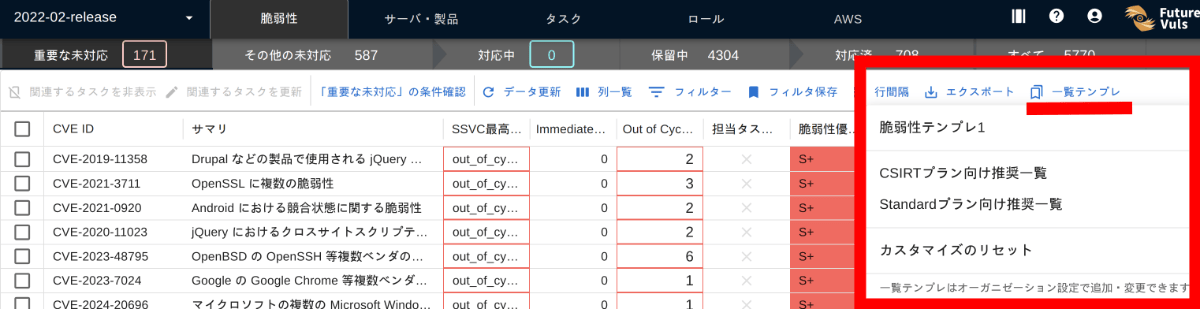
Reviewing the Second Pane#
The second pane is divided into sub-tabs; clicking on each one switches the displayed content.
Let's look at each tab below.

Vulnerability Details#
The details screen aggregates all the basic information about the selected vulnerability. When investigating vulnerability information, you can use FutureVuls as a starting point to explore various linked sources.
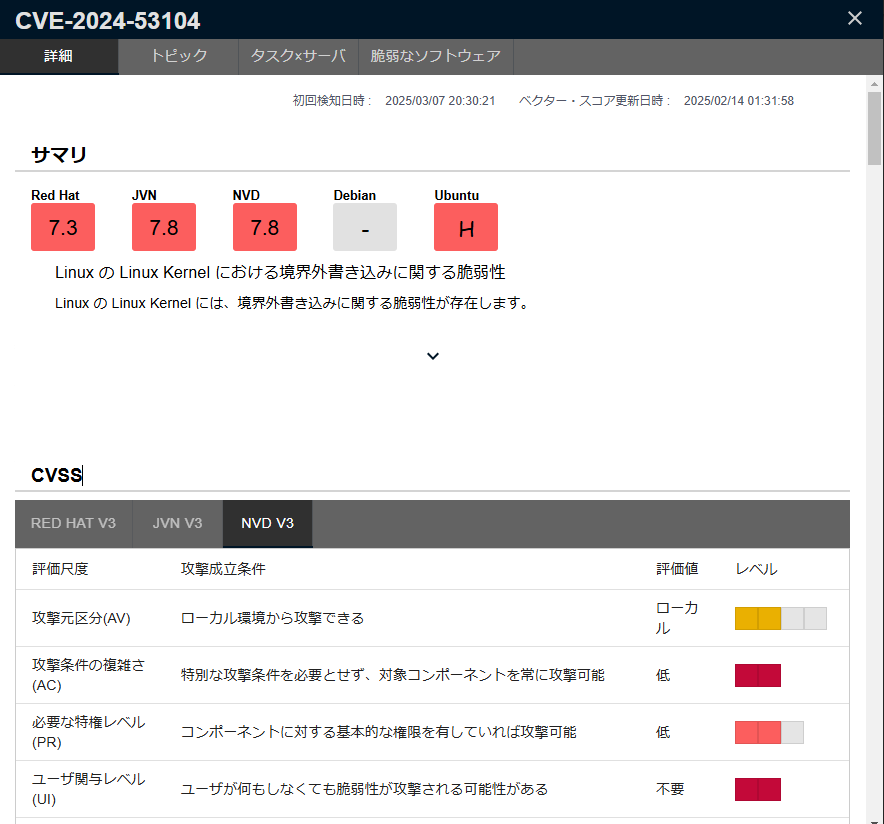
For each CVE-ID, you can reference information such as:
- CVSS Base Score/Vector
- EPSS
- KEV information, and alert/warning information such as from JPCERT/CC
- Exploit Code
- Mitigation
- CWE
- Primary information from various vendors
- Other related public information
Topics#
You can send a notification to the group or organization to call attention to this vulnerability. For more details, please see the "Topics Manual."
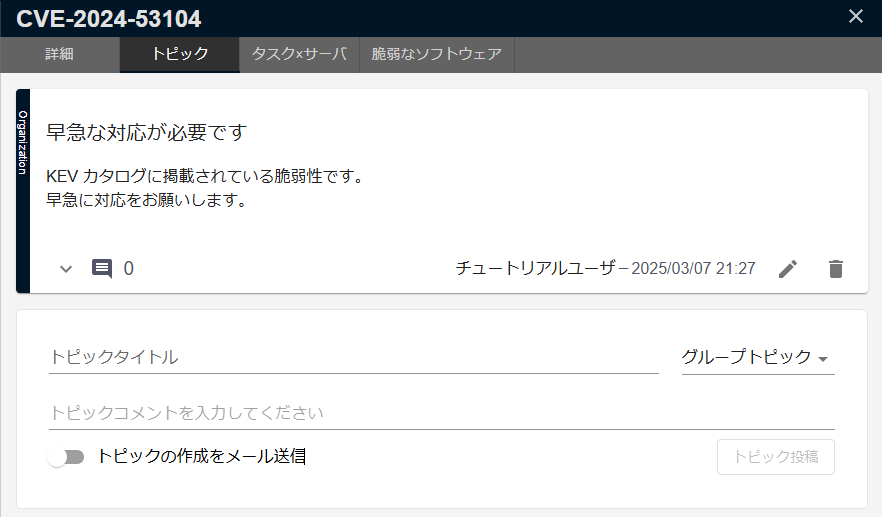
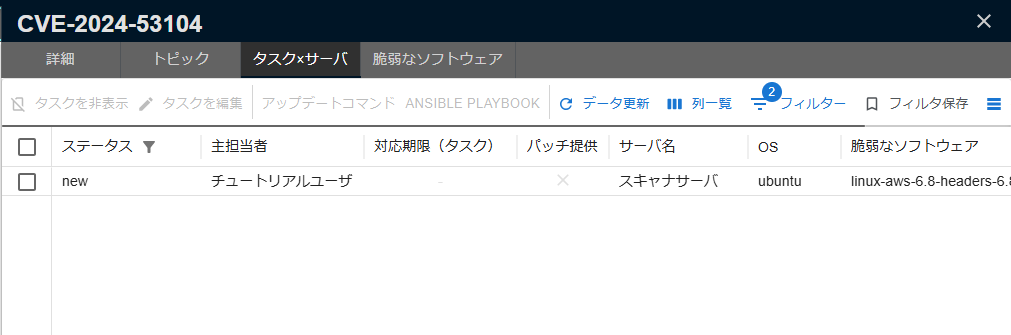
Tasks × Servers#
The "Task × Server" tab displays a list of servers within the group where this vulnerability has been detected. You can also check which software on each server the vulnerability was detected in.
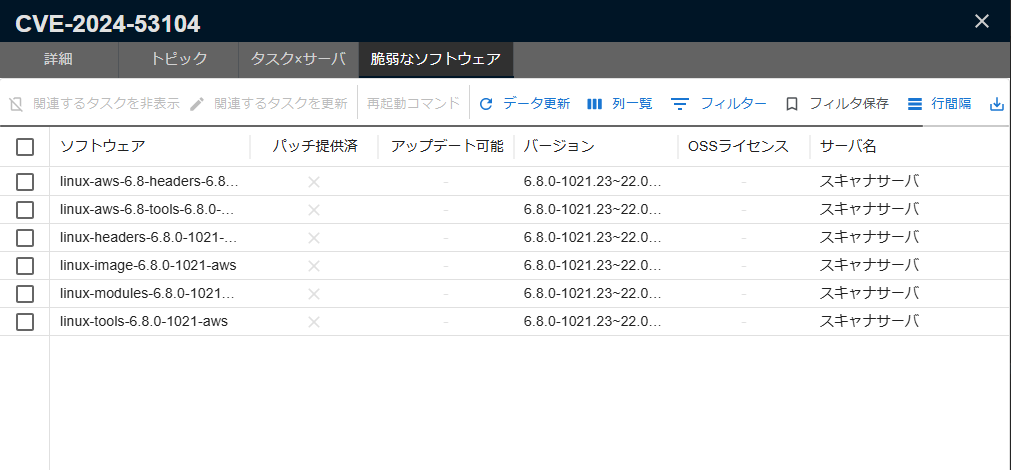
High-risk Software#
The Vulnerable Software tab displays a list of software associated with this vulnerability. You can check the execution status of the software's processes, the availability of patches, and more.
After reviewing the vulnerability information, let's proceed to tasks, which are used to manage the remediation status of vulnerabilities on FutureVuls (→Reviewing Task Information).