Group Set Settings#
In Group Set Settings, you can configure groups, members, group set tokens, and more.
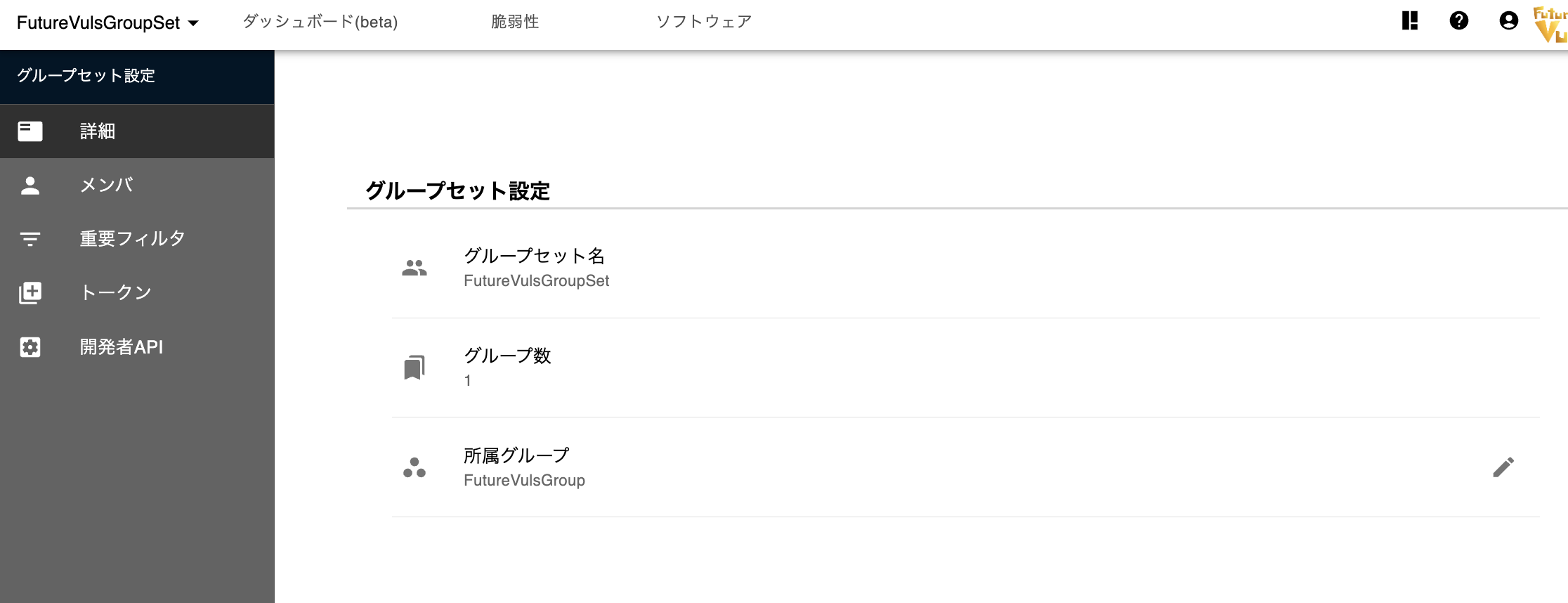
Group sets are a feature exclusive to organizations with a CSIRT plan subscription. Group Set Settings are only visible to users with group set administrator privileges.
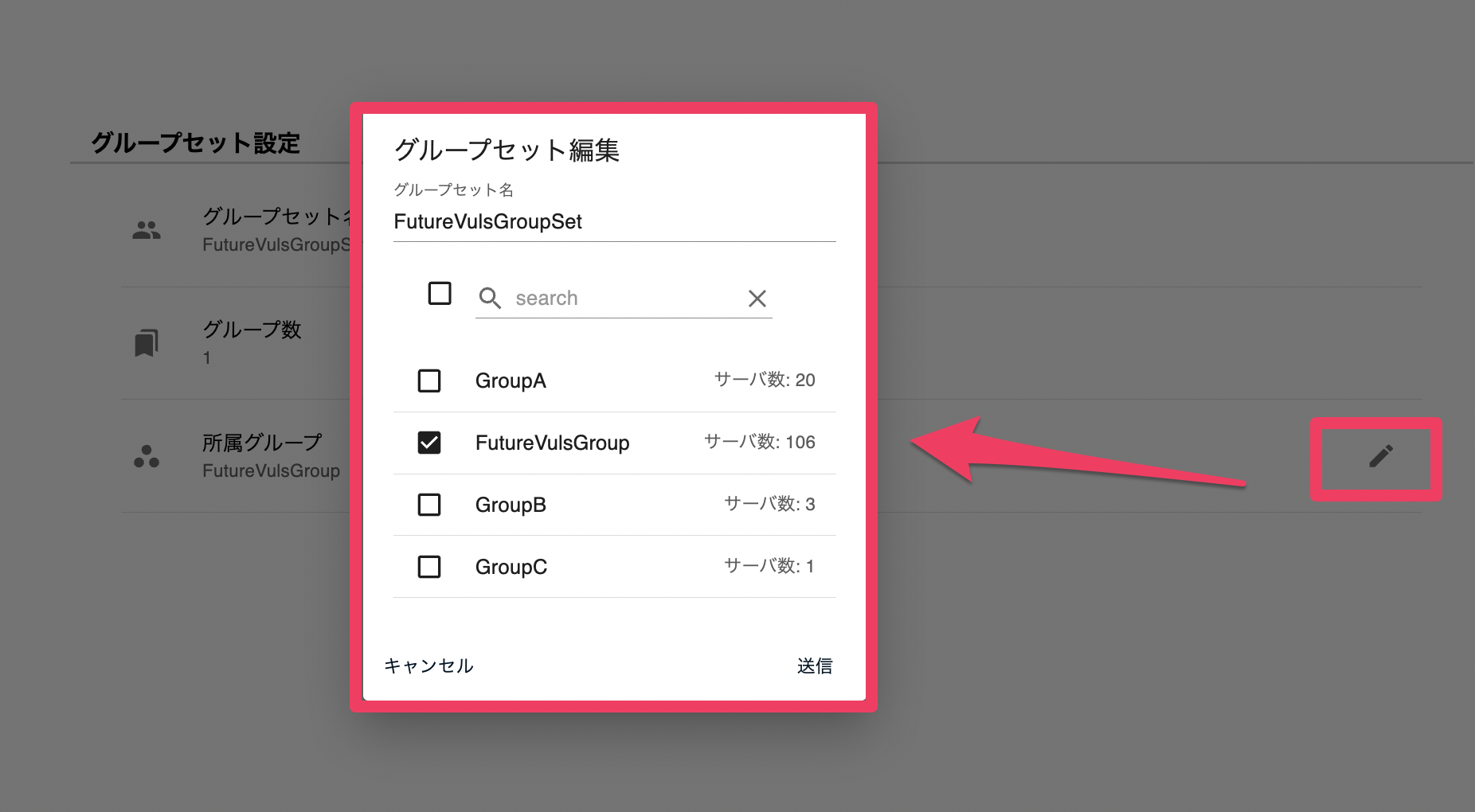
To change the name of a group set, click the Edit button next to "Groupset Name". To modify its member groups, click the Edit button next to "Member Groups" and make changes in the "Edit groups in the groupset" dialog.
Members#
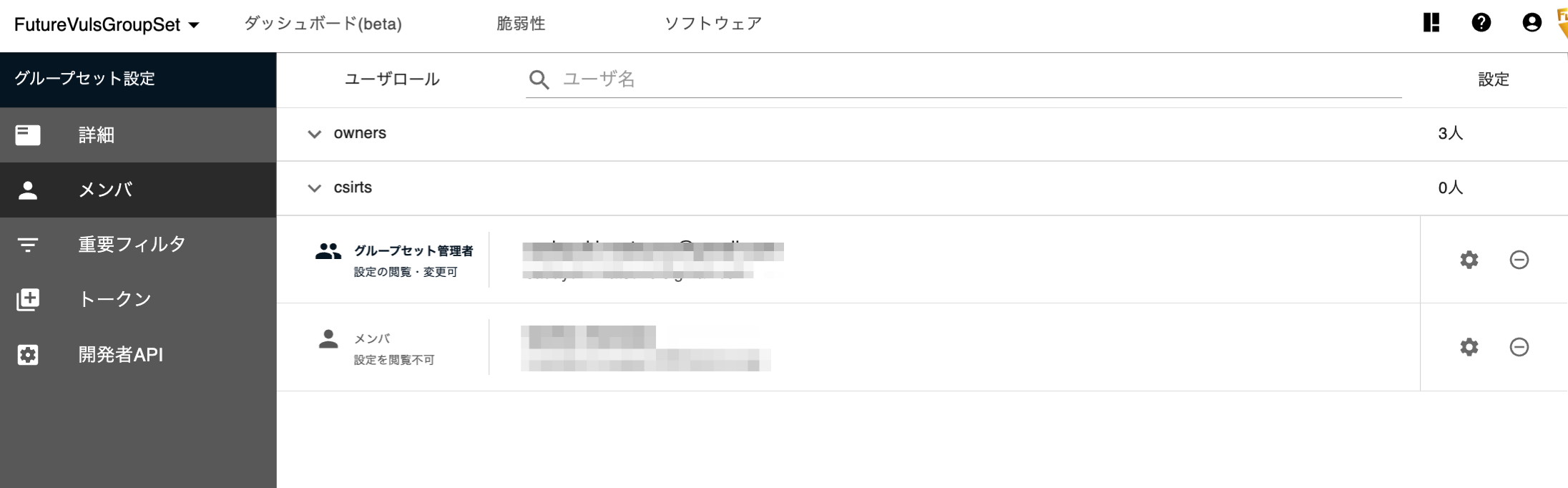
On the Members screen, you can view the users within the group set. You can check the permissions of these users and configure group set administrators.
With group set permissions, you can view and edit the group set and all groups belonging to it. Group set administrator privileges allow you to change not only the group set settings but also the settings of its associated groups, with the same privileges as a group administrator.
Add User#
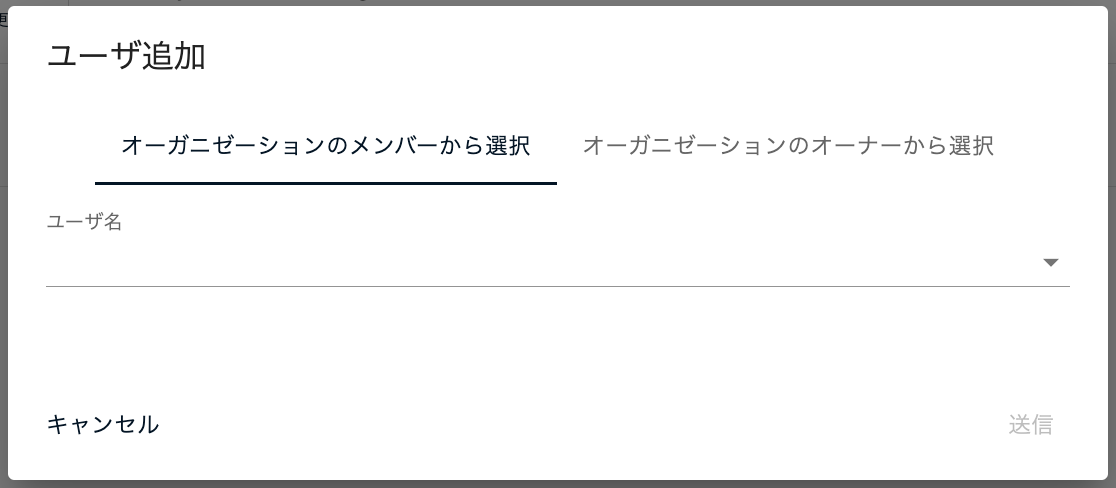
You can add users via the Add a new user button. There are two options for adding users.
- Select from the organization members
- Add users by selecting them from a dropdown list of users who already belong to the organization.
- Select from members with higher-level permissions
- Add users by selecting them from members who have "Owner" or "CSIRT" permissions in the organization.
- These members can manage group sets without explicit permissions, but this option can be used to grant permissions for an individual group set in advance, before removing their Owner or CSIRT privileges.
Advanced Settings#
Less frequently used items are collapsed under "Advanced Settings" in the menu. They are collapsed by default, so expand "Advanced Settings" when you want to work with them.
Setting Conditions for Critical Pending Issues in a Group Set#
As with groups, you can set conditions for "Important CVE" for a group set, allowing the CSIRT department to establish its own priority settings.
For more details, see "Criteria for Important CVE".
Tokens#
You can manage tokens used for scanning and the FutureVuls API.
FutureVuls API#
You can check how to use the FutureVuls API and view its documentation.