Exporting SBOMs#
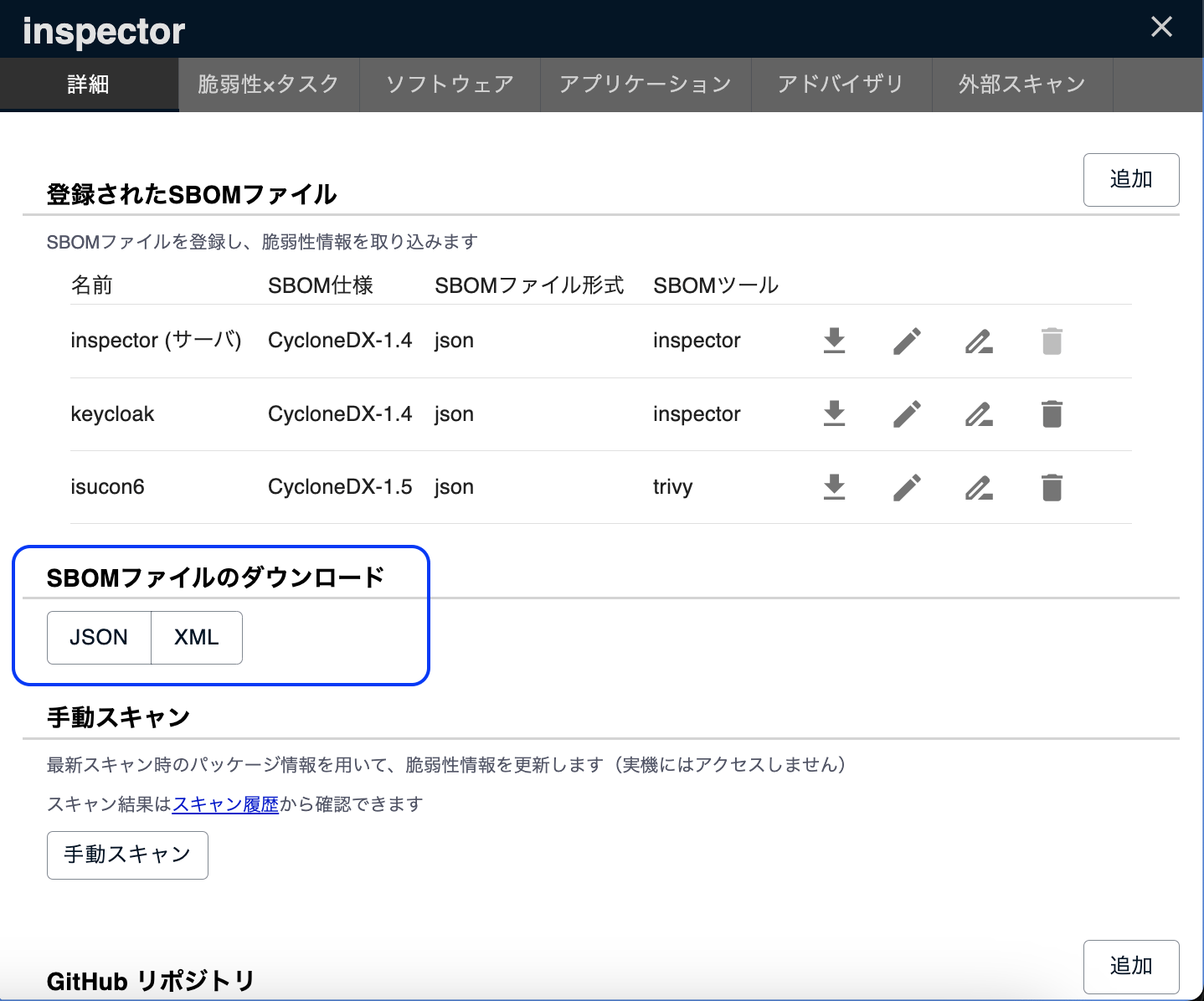
You can export SBOM files containing server configuration and vulnerability information. You can also export an SBOM file that contains only configuration information, without vulnerability information (see Exporting Without Vulnerability Information).
The information included is as follows:
- OS and OS package information
- Application and language library information
- License information
- Vulnerability information
Even when a server has multiple imported SBOMs, the data is exported as a single SBOM file.
About the Exported Vulnerability Information
The exported vulnerability information is not what was listed in the imported SBOM, but rather the results detected by FutureVuls using the latest vulnerability database (see Import Specifications > Vulnerability Information).
About the Exported License Information
The license information held by FutureVuls is attached to each component of the exported SBOM.
In CycloneDX, it is stored in each component's licenses (license.name); in SPDX, it is stored in each package's licenseDeclared.
Exporting an SBOM for a Single Server#
You can export the server information in CycloneDX v1.7 (JSON/XML) or SPDX v2.3 (JSON) format using the "Download SBOM file" button on the server details page. Select the format under "Include vulnerabilities" or "Exclude vulnerabilities" in the menu.
For Windows servers, KBs are output to the properties of metadata.component in CycloneDX and to the annotations of the OS package in SPDX.
Applied KBs are output as WindowsKB:Applied, and unapplied KBs as WindowsKB:Unapplied.
{ "name": "future-architect:vuls:WindowsKB:Applied", "value": "5012170" }
Exporting SBOMs for Multiple Servers#
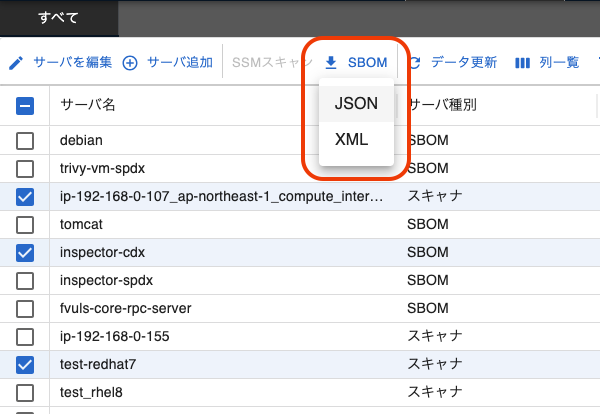
You can select multiple servers using the checkboxes in the server list to export their information in SBOM format. This allows you to export a single, merged SBOM file that combines the SBOMs of all selected servers. This feature only supports exporting in CycloneDX v1.7 (JSON/XML) format (SPDX format is not supported). As with a single server, you can choose between "Include vulnerabilities" and "Exclude vulnerabilities".
SBOM Merge Specifications#
The SBOMs from each server are merged as parallel dependencies in the following structure.

For detailed specifications of each item, please also refer to CycloneDX v1.7.
metadata.component#
In the merged SBOM's metadata.component, a new component like the one below is created.
{
  "bom-ref": "xxxxxxxx-xxxx-xxxx-xxxx-xxxxxxxxxxxx",
  "type": "application",
  "name": "Merged-SBOM",
  "version": "YYYY-mm-dd"
}
components#
The components arrays from each server are merged, with duplicates removed using bom-ref as the key.
Cases Where bom-ref Duplication Occurs
Software registered in FutureVuls uses the PackageURL as its bom-ref.
Therefore, if the same software is installed on different servers, the bom-ref may be duplicated.
In this case, the duplicate bom-ref entry is removed from the merged components array. However, each duplicate bom-ref is still added to the dependsOn array of its respective dependencies entry.
The OS information for each server (the information found in metadata.component when exporting a single-server SBOM) is added to the merged SBOM's components array.
dependencies#
The dependencies arrays from each server are merged using the internal ref as the key.
The OS information for each server is added to the merged SBOM's dependencies array as a dependency of the newly created metadata.component mentioned above.
{
  "ref": "xxxxxxxx-xxxx-xxxx-xxxx-xxxxxxxxxxxx", // Merged-SBOM
  "dependsOn": [
    "yyyyyyyy-yyyy-yyyy-yyyy-yyyyyyyyyyyy", // OS component for server A
    "zzzzzzzz-zzzz-zzzz-zzzz-zzzzzzzzzzzz", // OS component for server B
    ...
  ]
}
compositions#
The bom-ref of the component containing each server's OS information is added to the assemblies array of a composition, as shown below.
{
  "aggregate": "complete",
  "assemblies": [
    "yyyyyyyy-yyyy-yyyy-yyyy-yyyyyyyyyyyy", // OS component for server A
    "zzzzzzzz-zzzz-zzzz-zzzz-zzzzzzzzzzzz", // OS component for server B
    ...
  ]
}
vulnerabilities#
Vulnerability information is merged using the id as the key.
The ratings, advisories, and affects fields are merged using the following keys, respectively:
ratings:source.nameadvisories:urlaffects:ref
The cwes arrays are merged with duplicates removed.
For the description, the information from the base server is prioritized.
Exporting Without Vulnerability Information#
If you select "Exclude vulnerabilities", you can export an SBOM file that contains no vulnerability information. In line with the approach of BSI TR-03183 and the CRA, you can create an SBOM for submission that contains no vulnerability information, without editing it by hand.
- Vulnerability information (
vulnerabilitiesin CycloneDX and advisory references in SPDX) and unapplied Windows KBs are not output - Components, dependencies, CPEs / PURLs, and license information are output in the same way as when vulnerability information is included
-components-onlyis appended to the end of the file name
With the FutureVuls API "Download server SBOM" endpoint (GET /v1/server/{serverID}/sbom), you can also export without vulnerability information by specifying excludeVulnerabilities=true.